
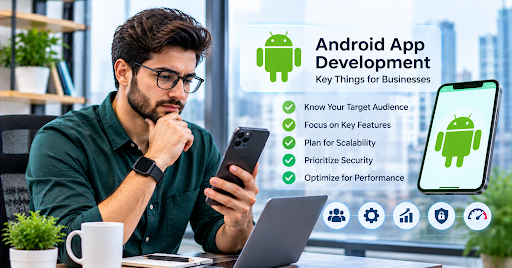
Chidi Eze owns a chain of hardware stores in Port Harcourt and Aba, the kind where contractors know to call ahead and the counter staff can quote prices from memory. For years his reorder process ran on WhatsApp voice notes and an inventory spreadsheet that everyone agreed was inaccurate but nobody had the authority to fix. When a supplier in Lagos started offering better terms to buyers who could submit digital purchase orders, Chidi realized the spreadsheet was costing him money.
He asked around and found an Android App Development Company through a business owner he knew who had built a simple field sales tool. The referral came with specific advice: spend twice as long on the problem definition as you think you need to, and half as long on the feature list.
He took that advice more seriously than most founders do.
He spent six weeks observing how his counter staff actually managed reorders, not how he assumed they managed them. What he found was different from what he’d been told. The bottleneck wasn’t the spreadsheet. It was the approval step, where a purchase request sat in someone’s email for three to five days waiting for a signature before it could move forward. Fixing the spreadsheet would have improved record-keeping and left the actual problem untouched.
The app he launched eight months later was an approval workflow tool with an inventory layer attached, not an inventory tool with approval attached. That distinction changed everything about how the app fit into the daily workflow of people who had no patience for software that added steps to a process they already found tedious.
He told me the most valuable lesson from the project was understanding the difference between the problem he thought he had and the problem his team was actually living with. The Android platform was relevant to the solution. The problem definition was what made the solution work.
The Android Opportunity That Most Businesses Miss
Most conversations about Android app development begin with the technology and end with the features. The conversation that produces useful apps begins earlier and elsewhere.
Android runs on more than seventy percent of smartphones globally. In the markets where many Nigerian, Ghanaian, Kenyan, Pakistani, Indian, and Southeast Asian businesses operate, that share is higher. In South Asia, Android penetration in the working professional and small business owner segments runs above eighty-five percent. In Sub-Saharan Africa, entry-level Android devices from Tecno, Infinix, and Samsung are the primary computing device for the majority of the working population.
For a business owner building a tool for their own staff or for their customers, this demographic reality determines more about the product than any technology preference. A field sales app for contractors working across Nigeria doesn’t need an iOS version. It needs to work on the Android devices those contractors actually carry, which may be two or three years old, may have limited storage, may operate on intermittent 3G connectivity, and may be shared between workers on different shifts.
Building for that reality rather than for an idealized user with a current flagship device on fast broadband is the difference between an app that gets used and one that creates support tickets.
Understanding the Platform Before Committing to It
The question that every business owner should be able to answer before engaging a development company is what Android app development actually involves and why it’s the right approach for their specific situation.
What is Android App Development In practical terms, it’s the process of building software applications for devices running the Android operating system, using Google’s development tools and the programming languages those tools support. Modern Android development uses Kotlin as the primary language, with Java still present in older codebases and some existing projects. The Android Studio IDE provides the development environment. Apps are distributed through Google Play, though Android also allows installation from outside the Play Store, which matters for enterprise applications distributed directly to employee devices.
What distinguishes Android development from other mobile platforms is the breadth of hardware it targets. Android runs on devices from Google’s own Pixel line, Samsung’s Galaxy range, Xiaomi, Oppo, Vivo, Tecno, Huawei, and dozens of other manufacturers. Those devices have different screen sizes, different processors, different amounts of RAM, different camera hardware, and different manufacturer-specific software layers on top of the base Android operating system.
That diversity is Android’s reach and Android’s complexity. The same app behaves differently on different devices, and testing that reveals problems on a Samsung Galaxy A-series device running a carrier-customized Android 12 build may not reveal the same problems as testing on a Google Pixel 7. Understanding this before development begins shapes the testing strategy, the minimum supported API level, and the design decisions that determine whether the app works well across the range of devices your users carry.
Why the Device Range Matters for Your Business Decision
The device range question is not abstract. It directly affects the development approach, the testing plan, and the realistic cost of the project.
If your app serves corporate employees who are issued company-managed Samsung Galaxy devices on a current Android version, your device range is narrow and predictable. Testing is straightforward and performance optimization is a known target.
If your app serves a field workforce that provides their own devices, your device range is whatever people are carrying. Some will have recent Samsung midrange phones. Others will have older Tecno or Infinix devices with less RAM and slower processors than the developer’s test phone. Others will be running Android versions that stopped receiving security updates two years ago.
Designing the app to work well across that range means making deliberate choices. Keeping the UI simple enough to perform smoothly on slower hardware. Using progressive image loading so the app doesn’t become unusable when loading product photos over a slow connection. Supporting older Android API levels even when supporting newer ones would allow access to more modern features. These are design decisions that need to be made explicitly before development begins, not discovered as problems after launch.
Minimum supported API level is a specific decision with specific consequences. Supporting back to Android 8 (API level 26) covers the overwhelming majority of active Android devices globally. Supporting back to Android 10 cuts off users on older devices but simplifies development and allows access to newer APIs. The right decision depends on who your users are and what devices they actually carry.
Google Play and What Getting to Market Actually Involves
Publishing an Android app requires a Google Play Developer account, which costs twenty-five US dollars as a one-time registration fee. After that, publishing updates to an existing app is free.
Google reviews apps before they appear on the Play Store, though the review process is generally faster than Apple’s equivalent and somewhat more predictable in its requirements. Google’s policies govern what apps can and can’t do, what permissions they can request, how they must handle user data, and what their age ratings must reflect.
The permissions model is particularly worth understanding before development begins. An app that requests access to contacts, location, camera, storage, or microphone must justify that access in its Play Store listing and must request permissions at the moment they’re needed with an explanation of why they’re needed. Apps that request permissions without clear justification are rejected or receive low ratings from users who find the requests intrusive.
The Data Safety section of every Play Store listing requires the developer to disclose what data the app collects, how it’s used, whether it’s shared with third parties, and whether the user can request deletion. This disclosure needs to be accurate and complete, and inaccurate disclosures can result in policy enforcement action from Google.
For enterprise apps that are distributed directly to managed devices rather than through the Play Store, managed Google Play and Android Enterprise provide the infrastructure. A company that wants to distribute an internal app only to its own employees’ managed devices doesn’t need Play Store approval and has more flexibility in how the app is configured and updated.
Battery, Connectivity, and the Invisible Technical Requirements
Android development has a set of technical requirements that don’t appear on feature lists but determine whether the app works well in real-world use.
Battery optimization is one of the most important and least intuitive. Android’s power management system aggressively limits background activity from apps that it considers inactive. An app that relies on background processing, such as checking for updates, syncing data, or sending notifications, may find that the system kills those processes on some devices to preserve battery life. The technical solution involves using WorkManager for scheduled background work, FCM (Firebase Cloud Messaging) for push notifications, and Doze mode awareness for apps that need to remain active.
The behavior of background apps varies by manufacturer. Samsung, Xiaomi, and several other manufacturers implement aggressive battery optimization beyond what base Android does, which means an app that behaves correctly on a Pixel may behave incorrectly on a Galaxy because Samsung’s battery saver is preventing the background process from running. Testing specifically on Samsung and Xiaomi devices, in addition to Google’s own hardware, is essential for any app that relies on background behavior.
Connectivity management matters for apps serving users in areas where network conditions are unreliable. An app that assumes continuous connectivity and fails ungracefully when it doesn’t have it creates frustration in exactly the user environments where the app was most needed. Offline caching for read operations, optimistic UI updates for write operations, and queue-based sync when connectivity returns are the technical patterns that make an app feel reliable in variable network conditions.
Storage management is relevant for lower-end devices where storage may be limited. Apps that cache aggressively can fill a device’s available storage and trigger system interventions that affect the app’s behavior. Using the platform’s cache directory, which the system can clear when storage is low, rather than permanent storage for data that can be re-fetched is the right approach for most apps.
Security for Business Data on Android
Business apps often handle data that is sensitive in ways that consumer apps may not: employee records, financial transactions, client information, pricing data, operational documentation. Android provides the technical infrastructure for secure data handling, but it needs to be used deliberately.
Data stored on the device should use Android’s encrypted storage options or a library like Android Keystore for cryptographic key management. Data transmitted to and from the app should use HTTPS exclusively, with certificate pinning for high-security scenarios. User authentication should use secure credential storage through Jetpack’s credential management library rather than storing credentials in plain text or shared preferences.
Apps handling payment card data must comply with PCI DSS requirements regardless of the platform. Apps handling health information must comply with applicable health data regulations. Apps serving users in countries with data protection laws, including Nigeria’s NDPR, the EU’s GDPR, Kenya’s DPA, and similar frameworks, must implement appropriate consent, storage, and deletion capabilities.
Security considerations should be part of the architecture conversation at the beginning of the project, not a checklist item at the end. Retrofitting security into a codebase that wasn’t designed with it in mind is expensive and usually incomplete.
Working With a Development Partner Effectively
The quality of the relationship with the development company matters as much as the company’s technical capabilities, and the relationship quality depends heavily on how the project is set up at the beginning.
A development partner that understands Android’s device diversity and builds testing into the project plan from the start is more valuable than one that promises the same capabilities without that understanding. Ask specifically about the device testing strategy: which devices will be tested, at which Android API levels, in which network conditions, and with which battery optimization scenarios. The answer reveals whether testing is a first-class part of the process or an afterthought.
Staged delivery, where the development is released to real users in limited rollouts before full deployment, is a standard Google Play feature that Android development companies should be building into the project plan. A staged rollout to five percent of users catches problems that development testing didn’t find, before those problems affect the full user base. Companies that treat the initial release as the final product are setting the client up for a difficult post-launch period.
Documentation matters more for Android projects than many clients expect, because Android’s codebase tends to accumulate complexity as manufacturer-specific behaviors require workarounds. A project without documentation makes future maintenance significantly harder and more expensive, especially if the development partner changes.
The Cost Conversation and What Shapes It
Android app development costs are shaped by scope, by the device range the app needs to support, by the integration complexity, and by the testing requirements that the user base demands.
A focused first version of a business operations app targeting a defined set of Android devices with one or two integrations might start around twenty-five to forty thousand dollars. A mid-range product with multiple user roles, complex offline behavior, backend integration, admin dashboard, and testing across a broad device range often falls between sixty and one hundred and twenty thousand. Enterprise platforms with advanced security, complex business logic, compliance requirements, and integration into existing ERP or logistics systems can exceed that substantially.
The Android-specific addition to cost compared with an iOS-equivalent project is primarily in device testing. Supporting the breadth of Android hardware requires testing on more devices, addressing more edge cases, and sometimes writing manufacturer-specific workarounds that iOS development doesn’t require. That addition is real but typically represents a minority of the total project cost.
Maintenance for Android apps runs at the same fifteen to twenty percent of build cost annually as other mobile platforms, with the additional consideration that Android’s diverse hardware means bugs often surface in specific device-manufacturer combinations that require targeted fixes. Budgeting for maintenance that includes ongoing device testing, not just code fixes, is the right approach.
What Chidi Checks Every Morning
Chidi reviews the previous day’s purchase orders on his phone before he reaches the first store. Approvals that are sitting at the counter manager level, materials that are running below the reorder threshold, and any items flagged as urgent arrive in a summary notification before 7 a.m.
The approval step that used to take three to five days now takes four to six hours because the right person receives a notification at the right moment rather than finding an email in a crowded inbox whenever they happen to open it.
He told me recently that the app doesn’t feel like technology to him anymore. It feels like how the approval process works. The distinction matters because when something feels like technology, people think about it. When it feels like process, they just do it.
That transition, from technology to process, is what a successful Android app achieves for its users. The hardware, the codebase, the API level, the device testing matrix: none of those are interesting to Chidi. What’s interesting is that he can review the morning’s approvals from his car before the stores open, and that his supplier in Lagos now treats him as the kind of buyer who gets priority allocation when stock is tight.
The Android platform made that possible. The problem definition made it real.