
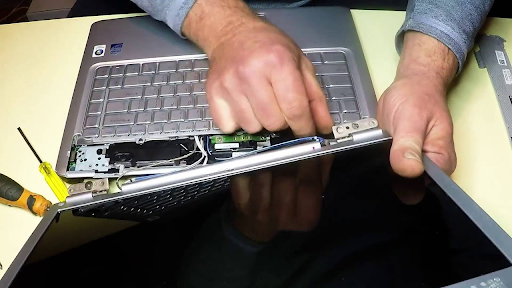
A laptop is rarely evaluated as a single item without considering the accessories supplied with it. Chargers, adapters, docking stations, batteries, carrying cases, and other compatible components can provide useful context during an equipment assessment. Before approaching a laptop scrap buyer in Dubai, UAE, sellers should gather the accessories available for each device and record any missing or damaged items. This preparation supports a clearer discussion about quotation and collection. It also helps sellers distinguish equipment that is ready for assessment from accessories that need further checking.
Why Accessories Matter During Assessment
A compatible charger, for example, allows the equipment to be powered for basic checks, where the laptop itself is functional. Accessories do not automatically increase a laptop’s value. Their usefulness depends on compatibility, condition, demand, and the buyer’s assessment criteria. An original charger may help identify the correct power requirements, while a compatible docking station may be useful to a buyer handling a particular model range. Generic accessories may still be included in a mixed lot, but sellers should describe them accurately.
A clear description prevents confusion when the equipment reaches the evaluation stage and supports a more efficient handover. Even a simple list linking each laptop to its available accessories can make the assessment more organized and help the buyer understand exactly what is included.
Identify and Sort Each Accessory
Start by collecting accessories from desks, storage cupboards, meeting rooms, and IT stores. Separate items by type before matching them with individual laptops. Check whether each accessory is compatible with the laptop model and note any missing or damaged parts. Keep similar items together in clearly labeled containers to prevent confusion during assessment. This simple sorting process also makes it easier to count accessories and prepare an accurate equipment inventory.
-
Laptop Chargers and Power Adapters
Check the charger label for its manufacturer, model, output voltage, current, and connector type. Chargers that look alike may not be interchangeable, so do not assume that an adapter is suitable simply because its plug fits. Match chargers with laptops where possible, and separate damaged adapters for disclosure.
-
Docking Stations and Port Replicators
Docking stations can support particular laptop models or connection standards. Record their brand and model number, along with any power supply or detachable cable supplied with them. If compatibility is uncertain, list the station separately.
-
Batteries and Battery Accessories
Some laptops have removable batteries, while others contain built-in units. Note whether a battery is present and whether the device shows any visible swelling or damage. Do not handle or package a swollen, leaking, or overheating battery as ordinary scrap. Follow appropriate workplace safety procedures and seek qualified advice about its handling.
-
Cases, Stands, and External Keyboards
Laptop bags, protective cases, cooling stands, external keyboards, and mice may be included as part of a larger equipment lot. Group these items separately and record their quantities. An accurate list allows the buyer to decide whether to consider them.
-
Cables, Hubs, and Display Adapters
USB hubs, HDMI adapters, network cables, and other connection accessories are easy to mix together. Sort and label them by type, keeping damaged cables apart from usable items.
Record the Condition of Accessories
A visual inspection can identify obvious problems before collection. Look for frayed cables, bent connectors, missing pins, cracked plastic, corrosion, and signs of overheating. If an accessory has not been tested, describe it as untested instead of marking it functional.
When discussing the equipment with a Laptop Scrap Buyer, share the condition of both laptops and accessories. Mention whether chargers are original, compatible third-party products, or unverified items. This helps prevent mismatches during evaluation.
Keep Accessories Secure and Organized
Once sorting is complete, use separate containers for chargers, cables, batteries, and smaller accessories. Label each container with its contents and, where possible, the related laptop inventory references. Keep the items in a dry, secure area until the collection team arrives. Do not leave loose accessories unattended in shared workspaces, where they can be misplaced or taken accidentally.
For larger business clearances, assign one person to maintain the accessory list and coordinate questions. Before handover, compare the packed items with the inventory and update any quantities that have changed.
What to Share Before Requesting an Assessment
A useful equipment summary should explain what is being offered and what condition the items are in. Sellers can prepare the following details before contacting a buyer:
- Laptop make, model, and approximate quantity.
- Whether each device is working, faulty, or untested.
- Number of compatible chargers and power adapters.
- Availability of docking stations, batteries, and other accessories.
- Any visible damage or missing components.
- Whether accessories are matched to devices or supplied separately.
Businesses seeking a Laptop Scrap Buyer UAE in Dubai can use these details to explain the collection requirements and request information about the quotation process. Confirm which accessories the buyer is willing to assess, whether collection covers the stated location, and how the final evaluation and payment are handled. If the lot includes many different models, ask whether the buyer prefers a written list or photographs before scheduling collection. Keep the information factual and avoid sharing confidential company data.
Conclusion
Chargers and accessories provide useful information about the completeness and condition of a laptop lot. Sorting them by type, checking compatibility, recording visible faults, and keeping an accurate inventory can make equipment assessment more straightforward. Clear descriptions also help prevent misunderstandings about what is included in the sale and what needs separate handling.
For individuals and businesses preparing unused laptops and related equipment for sale, IT Scrap Buyer offers purchasing and collection services across the UAE. As a laptop scrap buyer, the company deals with different types of IT equipment and electronic scrap, giving sellers an option to discuss their available devices, receive a quotation, and arrange collection followed by evaluation and payment. Organizing chargers and accessories before the handover can help make that process clearer.